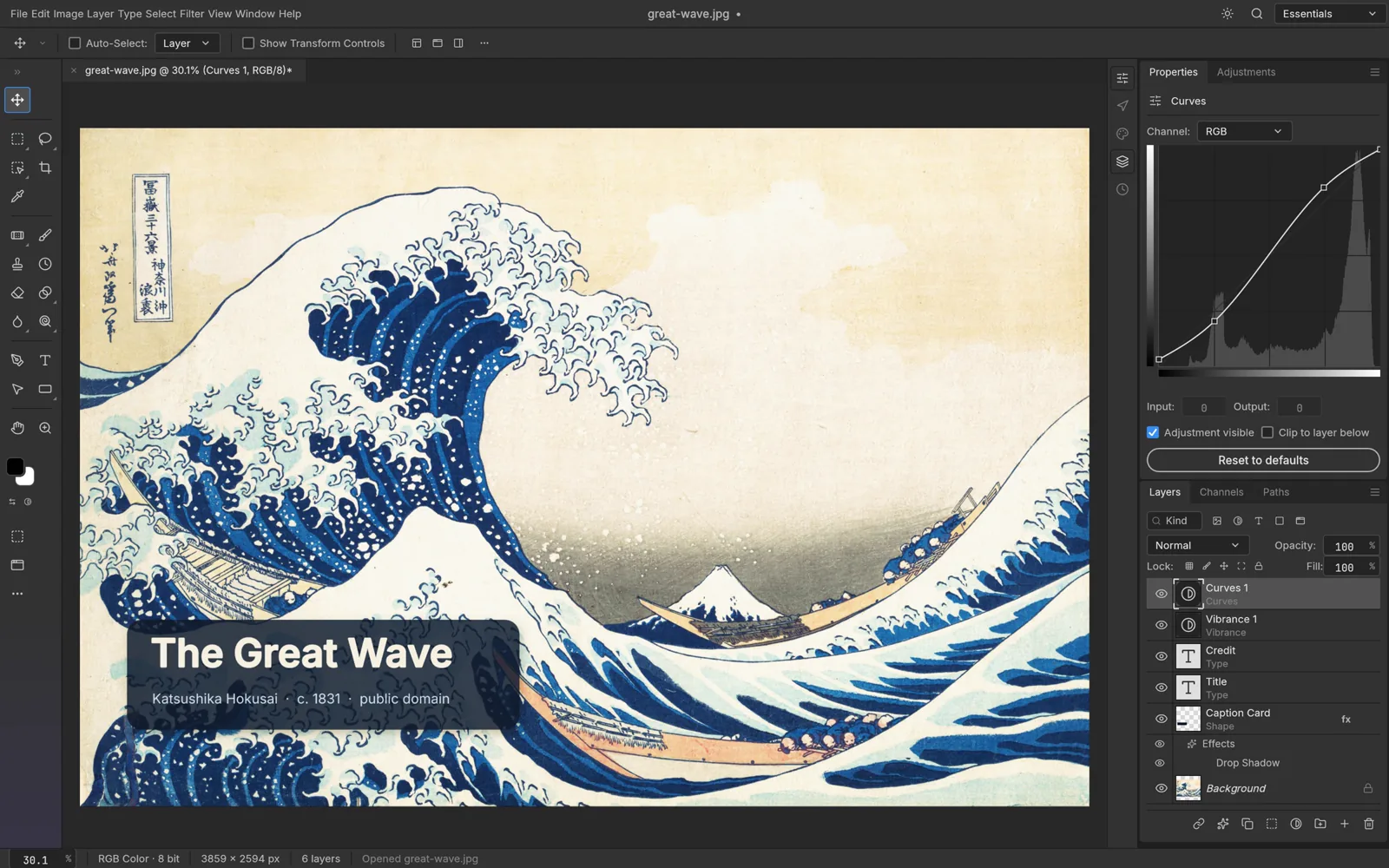
What can you do with PhotoCraft?
The official project lists layered image editing, masks, adjustment layers, type, vector shapes and brushes. Its desktop application is written in Rust. These are maintainer descriptions; our earlier Web smoke check covered a simple image path in an older build only.
A useful starting project is a duplicate of a small layered image: change a text layer, add an adjustment and export a flat copy. Keep the original document separately so you can compare the result.
Can PhotoCraft open PSD files?
The official page describes opening and saving layered PSD and PSB documents. Support for the format does not mean that every font, effect, plug-in or complex document will reproduce exactly.
Check text layout, layer visibility, masks and blend modes on a representative copy. Reopen the saved document in your existing editor before using it for a client handoff. See our PSD viewer guide for a browser-based option.
How to get PhotoCraft
The official page provides a launcher plus standalone downloads for macOS, Windows and Linux. It also links a downloadable WebAssembly build for self-hosting. Follow the official page for the current version and your CPU architecture.
ArtCraft Tools hosts the official PhotoCraft 0.10.0 Web build through its separate online-editor entrance. Your local files are opened on this device; the feature guide and the editor are separate pages.
Is it ready to replace Photoshop?
The official Crafting Apps directory labels PhotoCraft early alpha. Treat that as the project’s development status rather than a quality score.
Our advice is to keep your current editor available while checking the tasks you depend on. Opening one sample image cannot verify color handling, large projects, print output or a complete production workflow.
Try the official Web build on this site
ArtCraft Tools now hosts the official PhotoCraft, WordCraft and EffectCraft browser builds. Their editor workspaces process files on this device and do not collect file contents in analytics. Ads load automatically outside their canvas and can be turned off in Privacy choices. The guides explain the tested scope, source version and file handoff. Other directory tools still open on their own websites.
PhotoCraft versions: official downloads and this site
On 18 October 2026, the official PhotoCraft product page linked to 0.7.0 packages; the GitHub latest-release page resolved to 0.10.0. Use the version attached to the file you actually download and read that release’s notes.
Our hosted PhotoCraft browser editor uses 0.10.0. The application files were updated in this release. Startup, a small sample and your own file compatibility remain separate checks. Download your work before closing.
| Destination | Version at this check | What it means |
|---|---|---|
| Official product page | 0.7.0 | Platform and package choices |
| GitHub release | 0.10.0 | Published release files and notes |
| This site | 0.10.0 | Pinned browser build; download your work |
Questions, answered
Is PhotoCraft free?
The official Crafting Apps pages describe it as free and open source. This is separate from the ArtCraft AI studio and any model usage charges.
Is this the official PhotoCraft website?
No. ArtCraft Tools is an independent directory. Official app and repository links are provided above.
Can I use PhotoCraft directly on this page?
Use the PhotoCraft online entrance linked above to start the editor. This page remains the product and download guide.
Sources & checks
Product claims come from provider documentation. Steps and handoff checks are editorial guidance; we have not tested your file in these applications.
- PhotoCraft official app page Checked
- PhotoCraft source and releases Checked
- ArtCraft: Crafting Apps Checked
- PhotoCraft: official product and platform downloads Checked
- PhotoCraft: release 0.10.0 on GitHub Checked