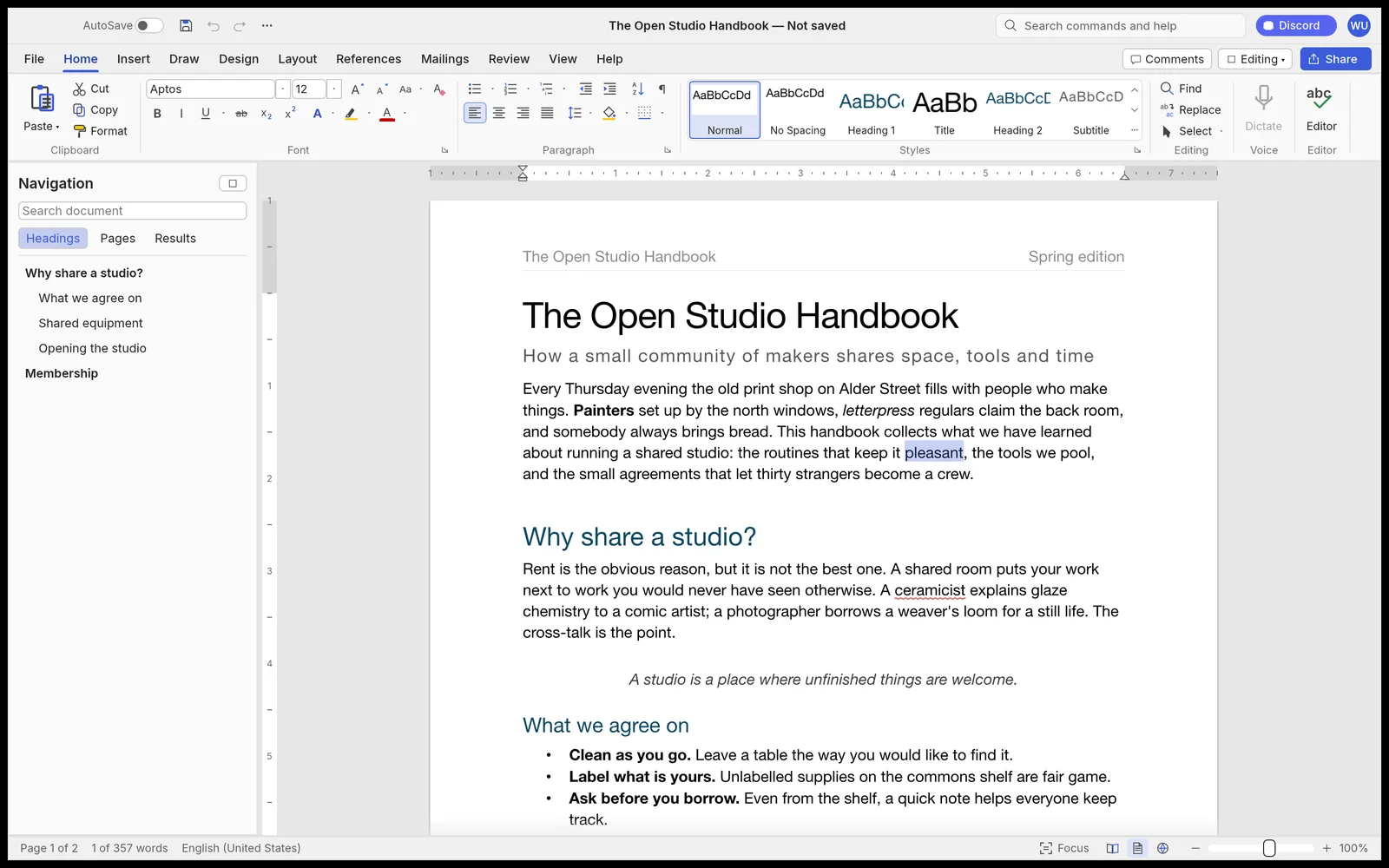
What is ArtCraft WordCraft?
The official app page identifies WordCraft as a Rust word processor with a ribbon, styles, tables, references and review tools. It belongs to the Crafting Apps family. Its job is writing and editing documents, rather than making a layered image or developing a camera file.
If you searched for “artcraft wordcraft” or “get artcraft”, use the official getartcraft.com application page linked here to identify this product. A matching name on a different website is not enough to establish a connection to the ArtCraft team. This directory is independent and does not run WordCraft in the page.
WordCraft formats: editable DOCX and readable PDF
The product page documents DOCX reading and writing, ODT and other text-format routes, and PDF export. The repository also keeps a maintainer assessment of behavior and compatibility gaps. Those descriptions establish which workflows to investigate; they do not establish that your particular file will survive unchanged.
Choose the output according to the recipient. A document that someone must revise needs an editable copy. A reference PDF can show the intended appearance alongside it. Do not use the PDF as the only handoff when the next editor needs headings, tracked changes or table structure.
Plan the document review before switching editors
Make a copy of a representative document and compare the features that matter to the recipient. A plain paragraph and a heavily reviewed report are different tests.
| Task | Inspect in the working copy | Inspect after saving |
|---|---|---|
| Draft a report | Heading styles, lists and font choices | Navigation and text flow in the receiving editor |
| Revise a shared DOCX | Comments and tracked insertions or deletions | The expected review state remains available |
| Prepare a long document | Section breaks, tables, headers and references | Page breaks and important reference targets |
| Send a final reading copy | Intended content and page layout | The exported PDF at its delivery size |
Get WordCraft from the official product page
The live official page provides launcher and standalone choices for macOS, Windows and Linux, plus a WebAssembly package. Check its current platform list and release notes rather than following a copied installer filename. A downloadable Web build requires hosting; it is not an online editor provided by this directory.
For one application, compare the standalone route with the launcher route on the official page. Match the package to your operating system and processor, then keep your existing document workflow available while checking a copy. Our shared ArtCraft download guide explains platform and package checks.
A useful first WordCraft document check
Try a short representative document before converting a whole collection. Include the features you actually use, rather than adding every possible feature to a synthetic test.
- Keep the original DOCX and a reference export from its current editor.
- Open a duplicate in the selected WordCraft build.
- Inspect headings, text wrapping, tables and any comments or tracked changes.
- Save a separate editable copy and create the reading format the recipient needs.
- Reopen both outputs in their receiving applications and compare the affected sections.
When to investigate WordCraft further
WordCraft is relevant when you need a document-editing workflow and want to examine an open-source option. The next decision should come from your saved document and the recipient’s checks. Familiar controls and an advertised file extension are useful starting points, but neither replaces that handoff test.
Start with the document compatibility guide below if layout or review history matters more than trying a new interface. We have not installed WordCraft or validated its behavior on your files, and we do not describe it as a fully compatible replacement for another editor.
Questions, answered
Is ArtCraft WordCraft the same application as Microsoft Word?
No. WordCraft is a separate project from the ArtCraft team. Its documented DOCX support is not a guarantee of identical behavior.
Where can I download WordCraft?
Use getartcraft.com/apps/wordcraft and follow its current launcher or standalone links. This directory does not mirror installers.
Can I use WordCraft online on this page?
No. This page provides guidance and official links. The official Web package is a separate hosting route.
Does this site test WordCraft document compatibility?
We test this directory’s pages, navigation and exports. We have not tested WordCraft itself or your document.
Sources & checks
Product claims come from provider documentation. Steps and handoff checks are editorial guidance; we have not tested your file in these applications.
- WordCraft official app page Checked
- WordCraft source and download documentation Checked
- WordCraft maintainer compatibility assessment Checked
- ArtCraft: Crafting Apps Checked