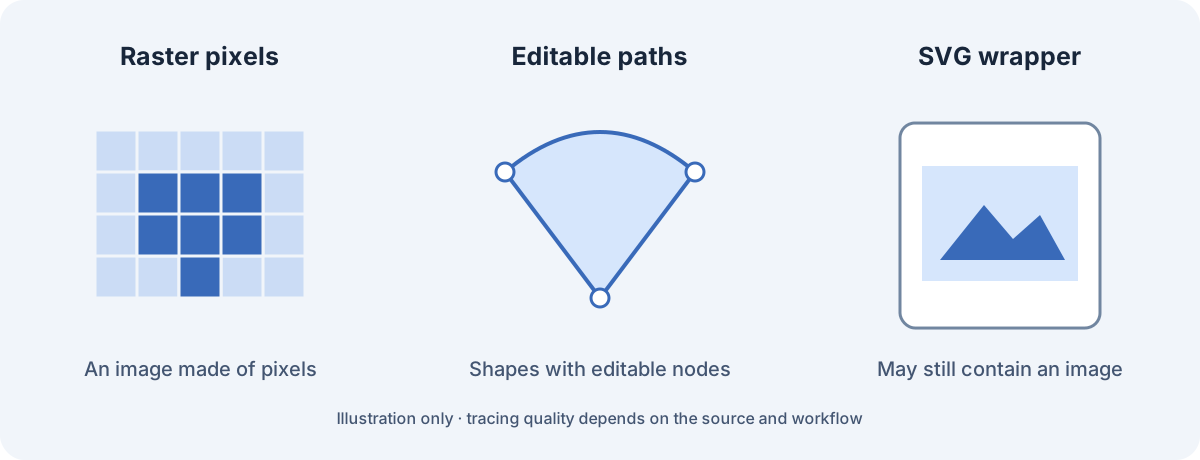
Choose between tracing and embedding
Ask what the recipient needs to edit. If they need to move nodes or change individual shapes, investigate tracing or redraw the artwork. If they simply need the photograph placed in an SVG composition, embedding may be the appropriate operation.
| Source / goal | Route to investigate | What to verify |
|---|---|---|
| Simple logo; editable shapes | Trace or redraw | Useful paths, counters and smooth edges |
| Photograph inside an illustration | Embed the raster in an SVG | Image reference and packaging in the recipient’s app |
| Complex photo; editable vector artwork | Deliberate tracing or manual drawing | Detail loss, path complexity and editing effort |
| Just a smaller web image | Compare raster compression | Dimensions and appearance; SVG may not be needed |
A practical tracing workflow
VectorCraft’s official page documents image tracing. Treat it as a capability to investigate on your own file, rather than a promise that every trace will be clean.
- Keep the original PNG and decide which shapes must stay recognizable.
- Use a representative copy in a vector editor with documented tracing support.
- Inspect curves, corners, small holes and lettering. Remove unnecessary shapes only in the working copy.
- Export SVG and open it in the application that will receive it.
- Confirm that important shapes can be selected and edited, and keep both the raster original and vector working file.
Check what is actually inside the SVG
An SVG image element can refer to a raster image. A file containing such an element is valid SVG, but that does not mean the displayed picture has become editable curves. Inspect the relevant shapes in a visual editor or inspect the markup when you need to understand the file structure.
Finding a path element is also not a quality score: a file can mix paths and images, and traced paths may still be unsuitable for the job. Inspect the actual logo or illustration, not just the extension or a reported path count.
Review the result at its destination
Look at the trace at both the intended size and a larger size. Small gaps or uneven curves can become visible when the artwork is enlarged. Check lettering especially carefully; tracing does not recreate an editable font layer.
For PNG to SVG, choose the route according to the deliverable: paths for shape editing, an embedded image for raster placement, or a raster export when the destination only needs pixels. This directory links to editors but does not receive or trace your images.
Questions, answered
Does renaming .png to .svg create vector paths?
No. It neither traces the image nor produces valid SVG markup.
Can SVG contain a photograph?
Yes. The SVG image element can reference supported raster images. The photograph remains raster content.
Does tracing preserve editable text?
Do not assume it does. Traced lettering is usually shape work; inspect the result and keep the original text source when needed.
Sources & checks
Product claims come from provider documentation. Steps and handoff checks are editorial guidance; we have not tested your file in these applications.
- MDN: the SVG image element Checked
- VectorCraft official app page Checked